Check your HAT
answer sheet.
BrightStep is a free HAT answer sheet checker for Pakistani candidates. Choose your exact HEC test and booklet, add a clear photo, and review every answer against the published key.
Your answers, in focus.
Select a question on the sheet or use the question list. Check the photo before changing a detected answer.
Browse all 100 questions
Every question
No questions in this group.
This is a comparison with the selected key, not your official HEC score. User corrections record your reading of the photo and may differ from the original sheet.
Help improve sheet reading (optional)
Share the detected answers, confidence measurements and your corrections. Your photo, filename and personal details are not included. Feedback is kept for up to 90 days and reviewed before any reader changes.
Confirm the question numbering above before sharing. Save your private receipt if you want to delete the feedback later.
Help us locate the answer columns.
We couldn’t confidently match this layout. Choose the number of answer blocks and choices on your sheet, then select each block from left to right. Click the centre of A in the first row, then the centre of the last choice (D or E) in the last row. Your reading will be marked for review.
Column 1: select the first bubble centre.
Zoom in for precise points. Swipe inside the photo to move around, then tap a bubble centre.
Keyboard: focus the image, move the crosshair with the arrow keys, then press Enter to select a point.
Alignment supports 100 questions with four (A–D) or five (A–E) choices. Check page orientation, question numbering and every doubtful mark yourself.
Start with a clear photo.
A little care here makes every mark easier to read.
Follow these simple tips before uploading.
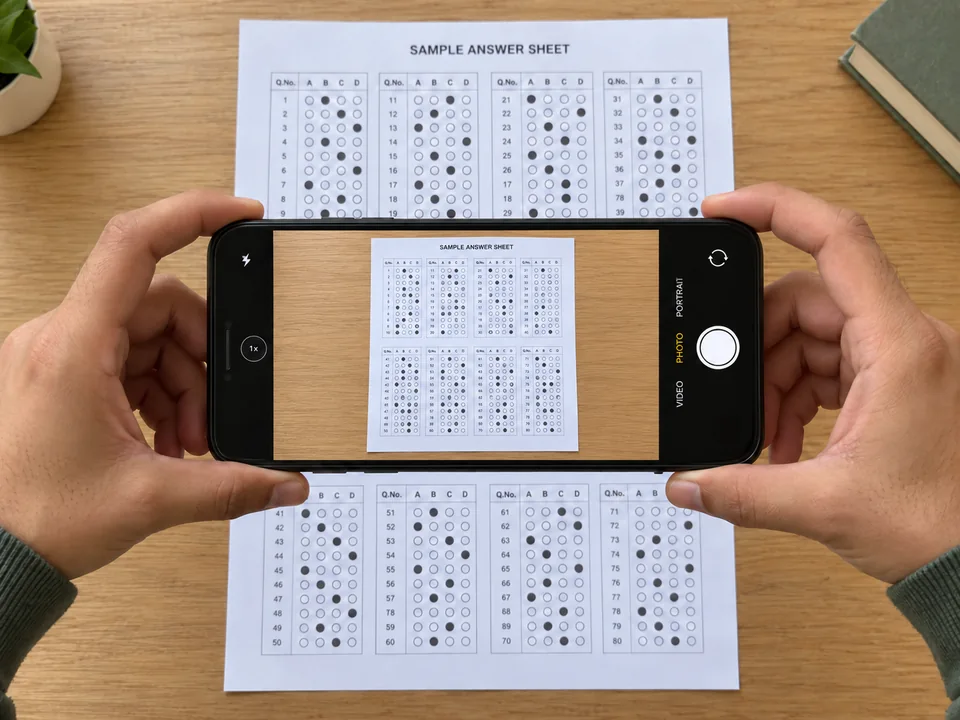 Illustrative sample · keep the full sheet in the camera view.
- 01
Flatten the sheet
Place your answer sheet on a flat surface.
- 02
Use even light; avoid flash and shadows
Keep reflections and your phone’s shadow off the marks.
- 03
Keep the phone straight above the page
Hold the camera parallel, rather than at an angle.
- 04
Include all four edges and tap to focus
Check that the smallest bubbles look sharp before uploading.
Good examples and common issues
Use the original photo, not a compressed screenshot.
Read the full photo guideWhat happens next.
- 1
Select your test and booklet
Choose the exact test date, programme, category and booklet colour.
- 2
Upload and check image quality
We locate the answer bubbles and flag marks that need a closer look.
- 3
Review your answers
See each detected response beside the published key. Click any question to inspect it.
Understand your answer comparison · Unclear marks may still need your review.
How can I check my HAT answer sheet from a photo?
Choose the exact examination, programme, category and booklet colour, then upload a clear photo of your marked sheet. Review the detected answers against the linked HEC key and check any unclear marks before relying on the estimated result.
Do I need to upload the official answer key?
No. BrightStep uses its catalogue of validated answer keys fetched from official HEC publications. If the matching key is unavailable, it will not substitute another examination or colour.
Is a HAT category the same as the second test of the year?
No. Category II identifies a category, not the year's second examination. Match the exact test date, programme, category and booklet colour shown on your documents.
Can the checker read faint marks or two filled bubbles?
Some marks cannot be read confidently. Faint, overwritten or multiple marks are flagged for review rather than silently treated as a definite answer. A better photo may help, but cannot restore marks missing from the carbon copy.
Is the score an official HEC result?
No. BrightStep is independent of HEC. Its result is an estimate based on the selected key and the answers visible in your copy. HEC's official result remains authoritative.
Where do I check my official HAT test result?
Start with HEC's Result and Keys page and follow its official result link to the ETC portal. BrightStep helps you compare your answer sheet with a published key; it does not provide an authenticated HEC scorecard.
What makes a good answer-sheet photo?
Place the sheet flat, hold the phone parallel above it, use even light without glare, include all four edges and tap to focus on the marks. Upload the original image rather than a screenshot or compressed messaging-app copy.
What happens if my sheet layout is not recognised?
An unsupported or poorly aligned sheet should not produce a confident automatic score. Use the available review or alignment controls, try a clearer photo, or check the carbon copy directly against the official key.
Will a clear photo guarantee every answer is read correctly?
No. A clear photo improves readability, but faint transfer, stray ink, multiple marks and layout differences can still cause uncertainty. Inspect the question crops and confirm corrections before using the estimate.